Assign Support
This dialog is used to assign a support to selected nodes in the model. You can assign a support by selecting nodes in the list and clicking the Accept button, or by picking from the modelling window. You can also click on a shell's edge and a support will be assigned to all nodes on that shell's edge.
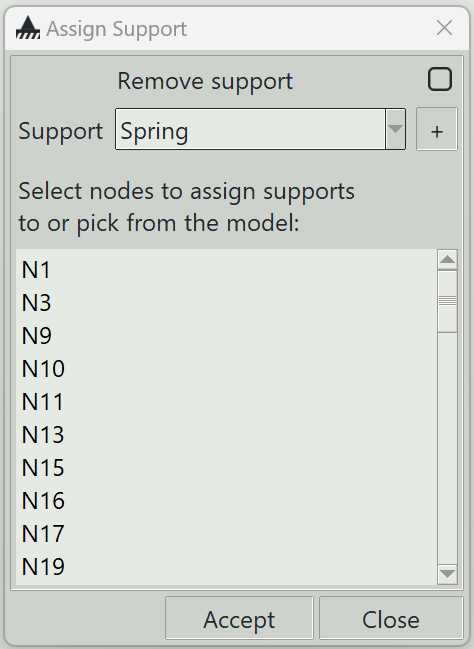
1. Remove support
When checked, supports will be removed from selected or clicked nodes.
2. Support
Selects the support to assign to nodes.
3. Add button (+)
Opens the support definition window so that you can define a new support.
4. Nodes list
Displays a list of available nodes. Selecting items from this list allows the chosen support to be assigned to those nodes.
5. Accept button
Assigns the selected support to the chosen nodes.
6. Close button
Closes this dialog and ends the support assignment command.