Assign Material
This dialog is used to assign a material to selected frame sections or shell thicknesses in the model. You can choose the material type, select an existing material, and apply it to one or more properties.
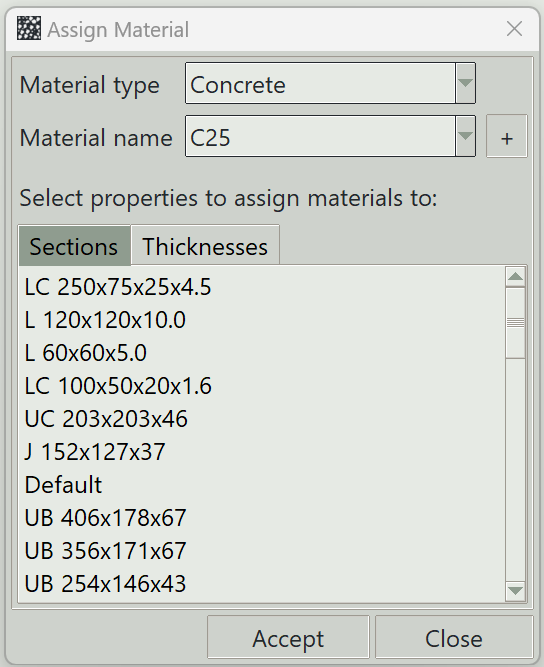
1. Material type
Specifies the type of material to assign. Available options are concrete and steel.
2. Material name
Select the material name to assign.
3. Add button (+)
Opens the material definition window.
4. Sections tab
Displays a list of available frame sections. Selecting items from this list allows the chosen material to be assigned to those sections.
5. Thicknesses tab
Displays a list of shell thickness properties. Selecting items from this list allows the chosen material to be assigned to those thicknesses.
6. Accept button
Assigns the selected material to the chosen sections or thicknesses.
7. Close button
Closes this dialog.