Section Definition - Generic
This tab allows you to define a generic section with any material type. Other tabs allow you to define concrete and steel sections.
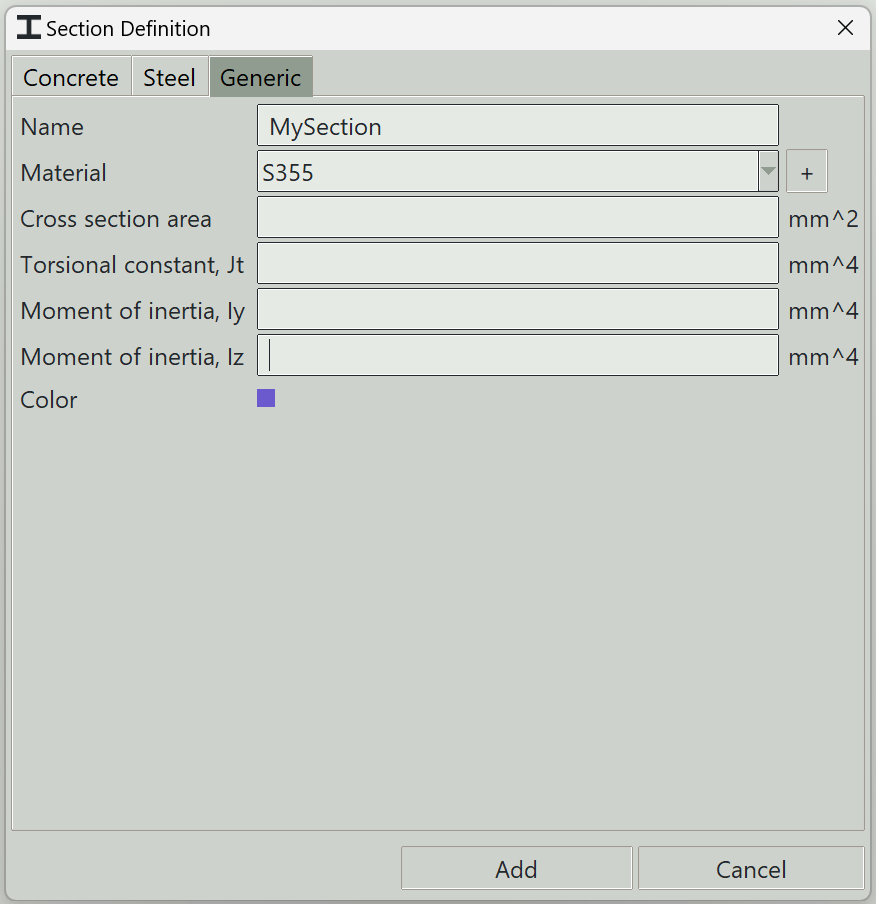
1. Name
A unique name for the section. It can be left empty, and the program will generate one automatically.
2. Material
The material to assign to this section.
3. + button
Opens the material definition window so that you can add a new material.
4. Cross section area
A factor to modify the torsional constant of the section.
5. Torsional constant
The Saint-Venant torsional constant.
6. Moment of inertia, Iy
The second moment of area about the y-axis.
7. Moment of inertia, Iz
The second moment of area about the z-axis.
8. Color
A color to give to this section for visualisation.
9. Delete button
Deletes selected sections from the model.
10. Add button
Adds a new section or updates an existing one.
11. Cancel button
Closes the window.