Filter
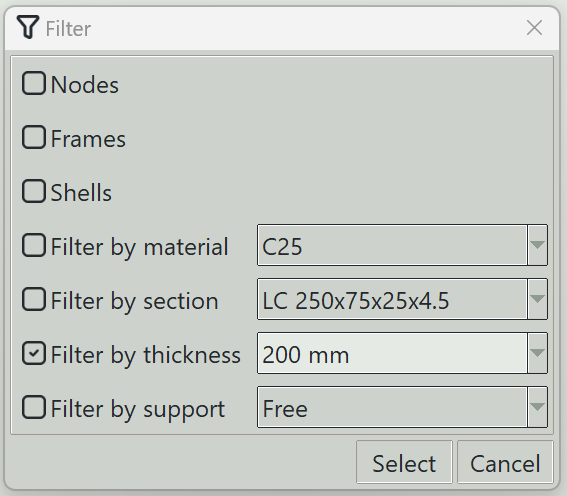
This dialog is used to select objects in the model using filters.
1. Nodes
If checked, all nodes will be selected.
2. Frames
If checked, all frames will be selected.
3. Shells
If checked, all shells will be selected.
4. Filter by material
If checked, all objects using the selected material will be selected.
5. Filter by section
If checked, all frames using the selected section will be selected.
6. Filter by thickness
If checked, all shells using the selected thickness will be selected.
7. Filter by support
If checked, all nodes with the selected support will be selected.
8. Select button
Selects objects according to the specified filters.
9. Cancel button
Closes this dialog.