Load Case Definition
This window is used to define load cases. The left pane displays a list of load cases available in the model, while the right pane shows the parameters of the selected load case. The same area is also used to input parameters when creating a new load case.
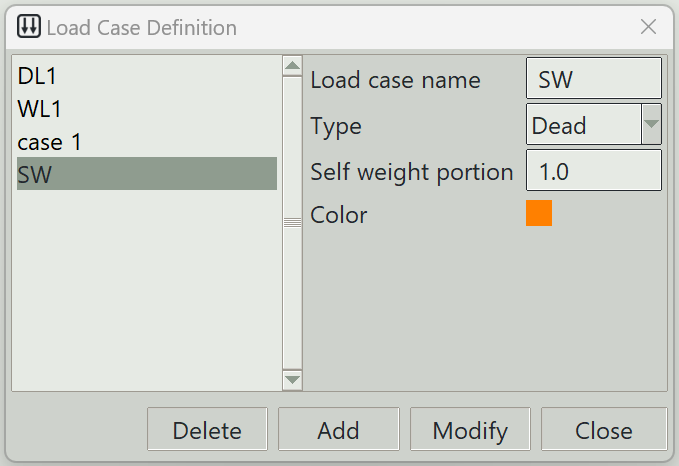
1. Load case name
A unique name for the load case. It can be left blank, in which case the program will generate one automatically.
2. Type
Specifies the nature or category of the load case.
3. Self weight portion
The portion of the structure’s self-weight associated with this load case. The value must be between 0 and 1. In addition to the loads defined under this load case, the self-weight of the structure, multiplied by this factor, will be included during analysis. This is the primary method for including self-weight into the loading.
4. Color
The color assigned to this load case for visualisation purposes.
5. Delete button
Removes the selected load case from the model.
6. Add button
Creates a new load case using the specified parameters.
7. Modify button
Updates the parameters of the selected load case.
8. Close button
Closes the window.