Reactions
This tab is used to visualise the reactions at the supports.
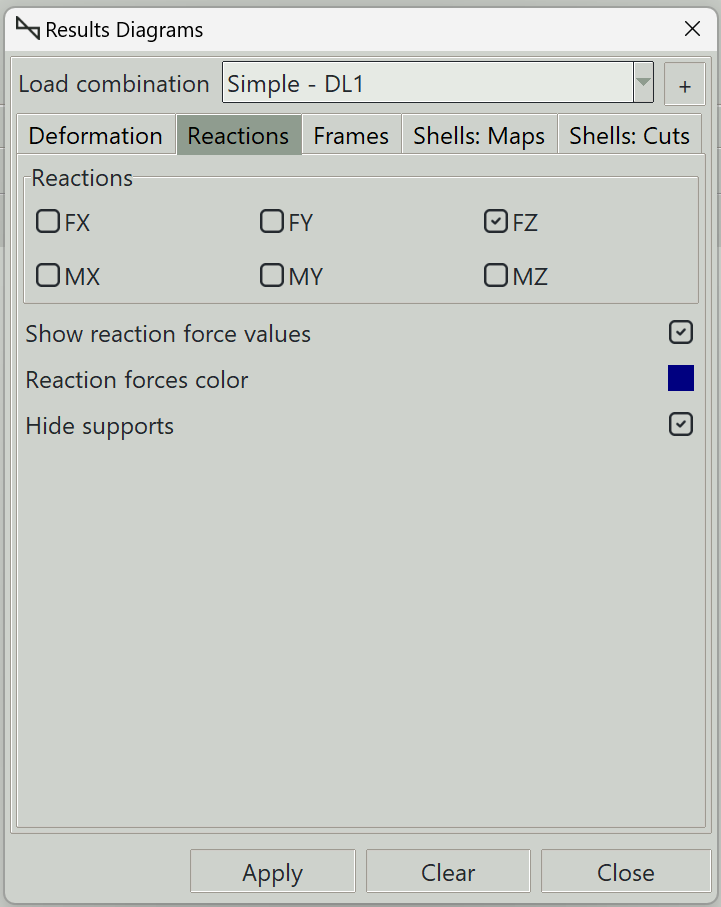
1. Load combination
The name of the load combination to display results for.
2. Reactions
You can select the reaction directions you want to see.
- FX: Reaction force in the global x-axis
- FY: Reaction force in the global y-axis
- FZ: Reaction force in the global z-axis
- MX: Reaction moment about the global x-axis
- MY: Reaction moment about the global y-axis
- MZ: Reaction moment about the global z-axis
3. Show reaction force values
Whether to display the values of the reactions.
4. Diagram color
Sets the color used to draw the reaction forces.
5. Hide supports
Whether to hide supports when reactions are displayed.
6. Apply button
Displays the selected reactions. If some elements are selected, results are displayed only for those elements.
7. Clear button
Clears all result graphics from the model view.
8. Close button
Closes the window and clears all result graphics.