Section Definition - Steel
This tab is used to define a steel section. Other tabs allow you to define concrete and generic sections.There are various section shapes that can be selected. For each section shape, various section families and databases are available. All section properties are read from pre-computed tables.
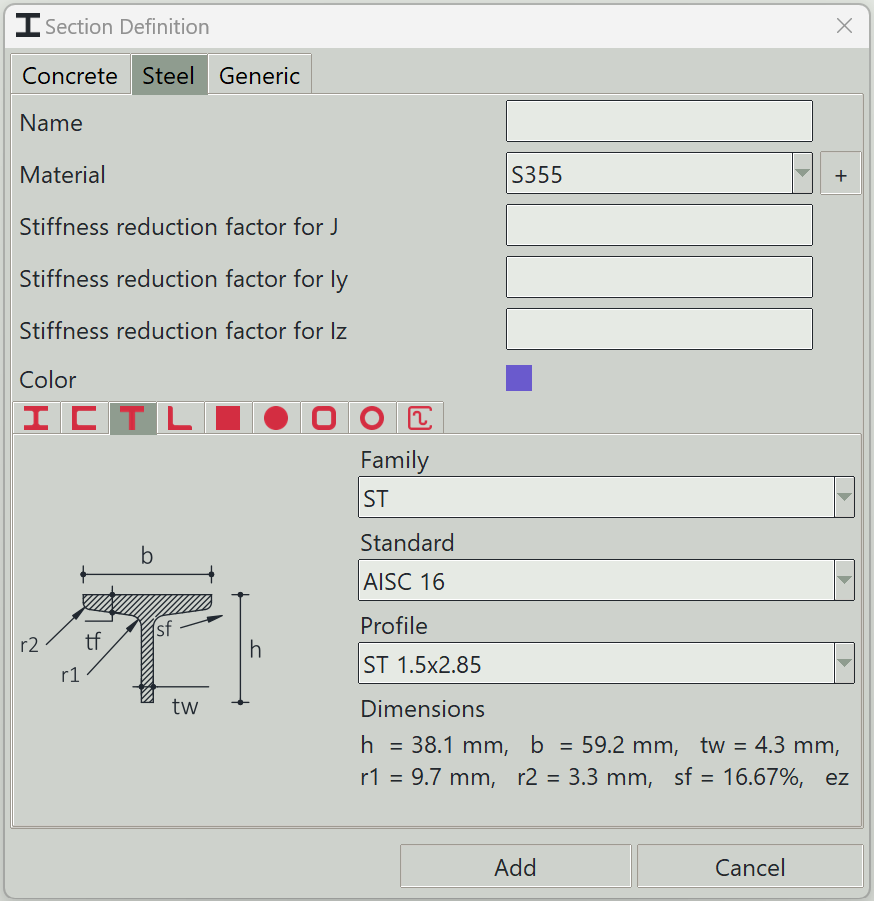
1. Name
A unique name for the section. It can be left empty, and the program will generate one automatically.
2. Material
The material to assign to this section.
3. + button
Opens the material definition window so that you can add a new material.
4. Stiffness reduction factor for J
A factor to modify the torsional constant of the section.
5. Stiffness reduction factor for Iy
A factor to modify the second moment of area about the y-axis.
6. Stiffness reduction factor for Iz
A factor to modify the second moment of area about the z-axis.
7. Color
A color to give to this section for visualisation.
8. Tabs
A number of tabs are available to select the section shape.
9. Family
The family type of the section.
10. Standard
The standard or code to which the section is manufactured.
11. Profile
The name of the section according to the standard.
12. Delete button
Deletes selected sections from the model.
13. Add button
Adds a new section or updates an existing one.
14. Cancel button
Closes the window.