Mirror Copy
This dialog is used to mirror frames or shells. Mirrored elements retain some of their assigned properties. Mirroring is achieved by picking three points, which determine the plane about which the selected objects are mirrored. Mirroring can also be performed by entering the required parameters and clicking the Accept button.
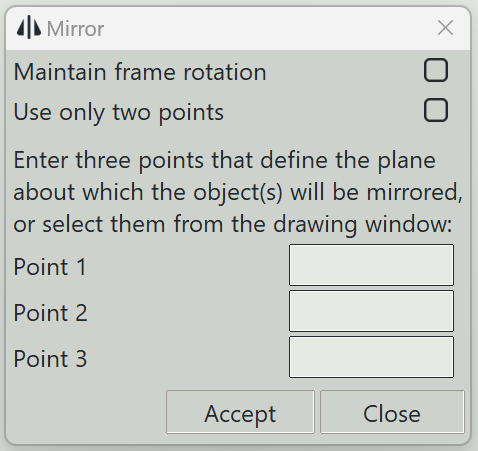
1. Maintain frame rotation
If checked, the rotation of the frame will be maintained, otherwise the program will mirror this parameter as well.
2. Use only two point
If checked, the mirror plane will be determined by only two points. The plane will be perpendicular to the active drawing plane if working in the 3D window. If you are working in the 2D window, the mirror plane will be perpendicular to the 2D plane.
3. Point 1
Three numbers specifying the coordinates of the first point on the mirror plane.
4. Point 2
Three numbers specifying the coordinates of the second point on the mirror plane.
5. Point 3
Three numbers specifying the coordinates of the third point on the mirror plane.
6. Accept button
Starts mirroring the selected objects using the entered parameters.
7. Close button
Closes this dialog and exits the mirror command.