Material Definition
This dialog is used to create, modify and manage materials in the model. The left panel displays the names of the materials available in the model, while the right panel shows the attributes of the selected material. It has two tabs: one for concrete materials and another for steel materials.
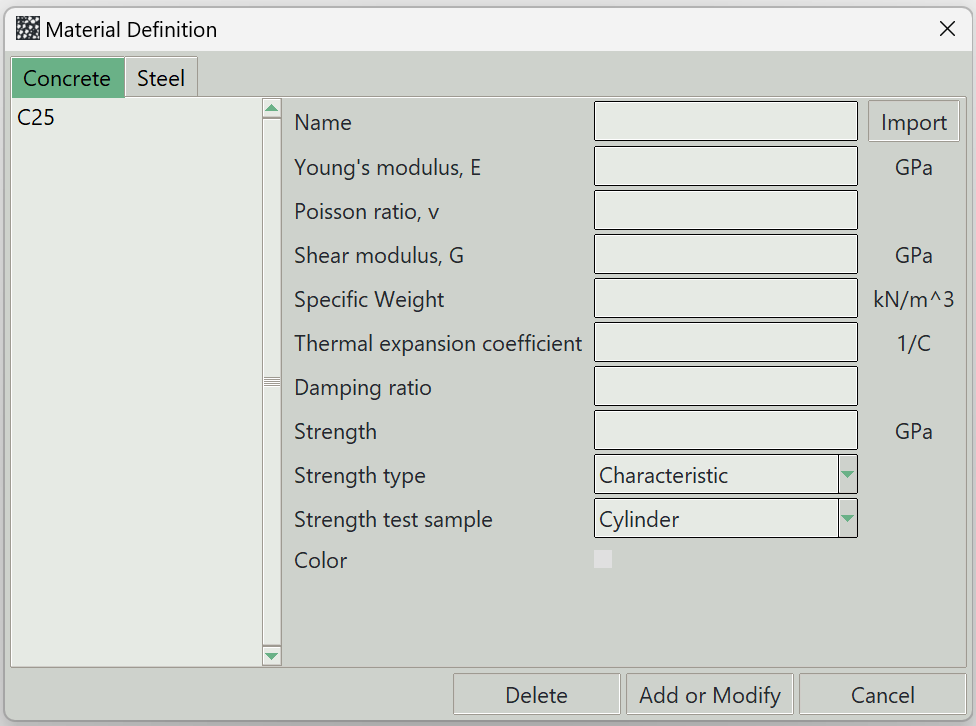
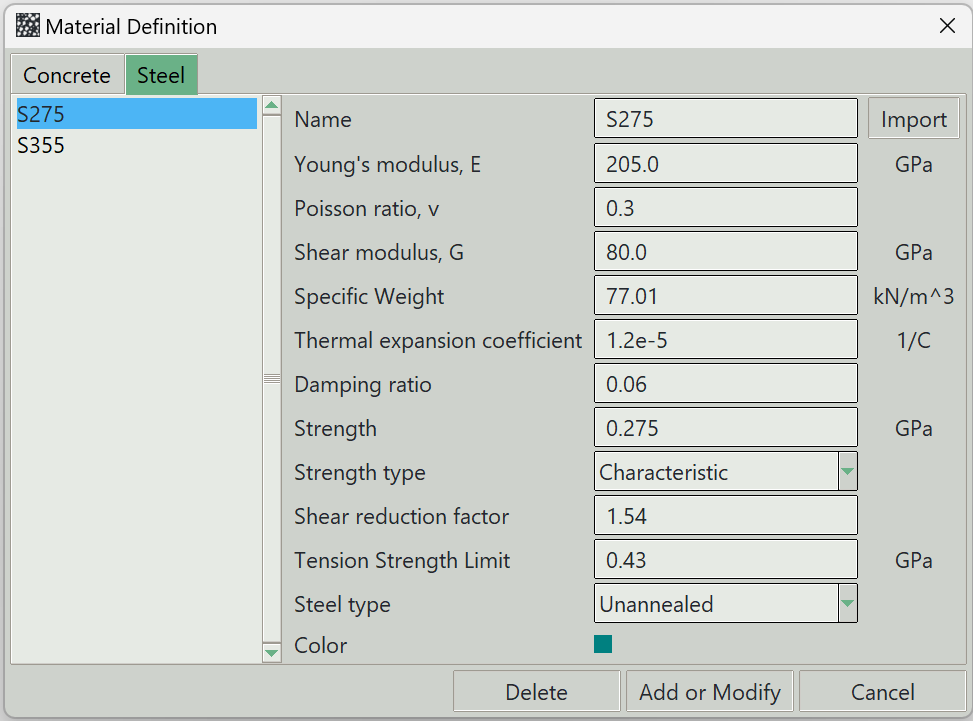
1. Name
A unique name for the material. It can be left empty, and the program will generate one automatically.
2. Import
The program comes with some predefined materials. This button opens a list of materials that can be imported into the model.
3. Young's modulus
4. Poisson's ratio
5. Shear modulus
6. Specific weight
The material weight per unit volume.
7. Thermal expansion coefficient
Defines how much the material expands or contracts per unit of temperature change.
8. Damping ratio
Represents the material’s inherent energy dissipation under dynamic loading.
9. Strength
The strength value of the material.
10. Strength type
Specifies whether the strength is characteristic or design.
11. Strength test sample
Indicates whether the strength value is based on a cube or cylinder sample.
12. Color
A representative color for this material, used for visualisation in the model.
13. Shear reduction factor
A factor applied to account for reduced shear capacity.
14. Tension strength limit
The maximum tensile stress the steel material can develop.
15. Steel type
Indicates whether the steel is annealed (soft) or unannealed (hard).
16. Delete button
Removes the selected material from the model.
17. Modify button
Updates the properties of the currently selected material.
18. Add button
Adds a new material to the model.
19. Close button
Closes the dialog.