Nodes
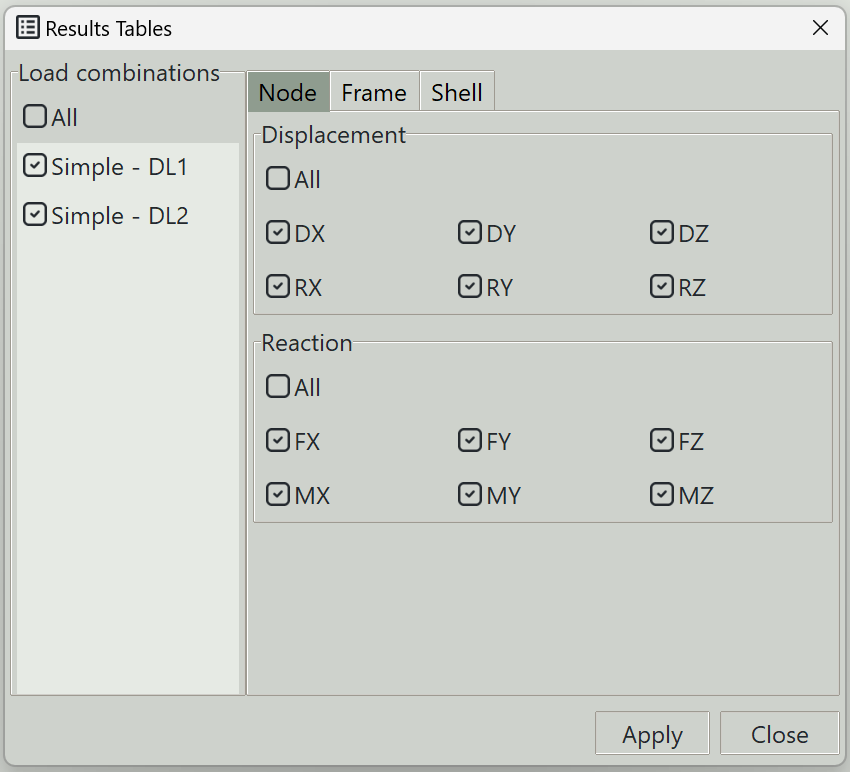
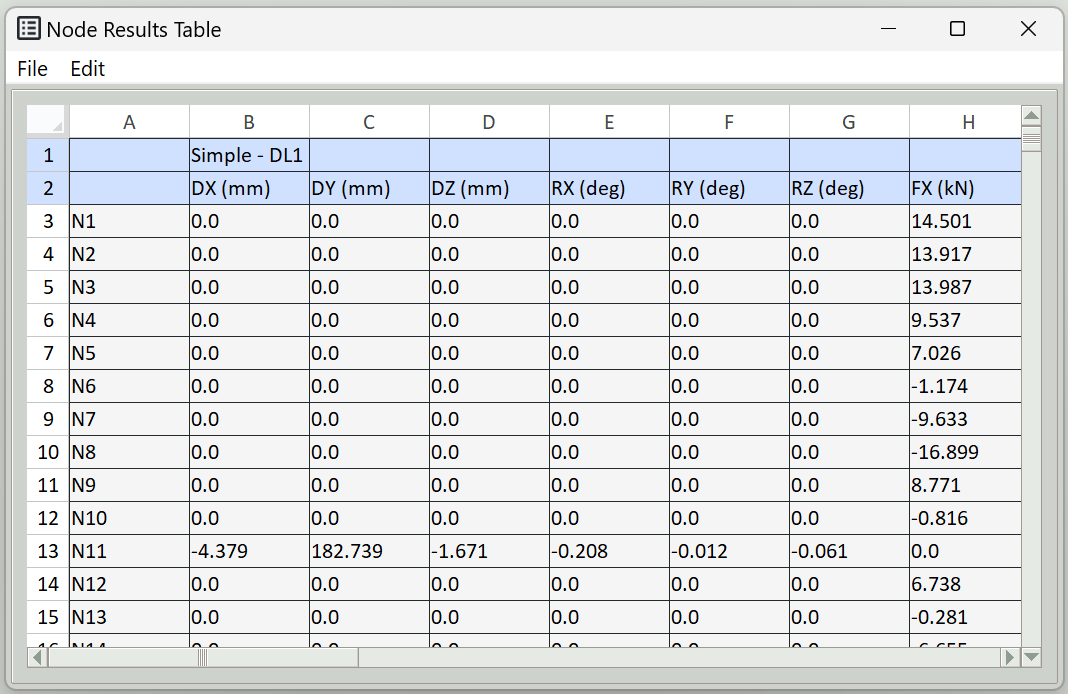
This tab is used to extract results related to nodes and present them in a table. The table can be exported to a spreadsheet. Using this tab, you can extract nodal displacements and reactions.
1. Load combinations
Select the load combinations that you want to extract results for. The All button allows you select all the load combinations.
2. Displacement
You can select the displacement directions you want to extract.
- DX: Translation in the global x-axis
- DY: Translation in the global y-axis
- DZ: Translation in the global z-axis
- RX: Rotation about the global x-axis
- RY: Rotation about the global y-axis
- RZ: Rotation about the global z-axis
3. Reaction
You can select the reactions directions you want to extract.
- FX: Reaction force in the global x-axis
- FY: Reaction force in the global y-axis
- FZ: Reaction force in the global z-axis
- MX: Reaction moment about the global x-axis
- MY: Reaction moment about the global y-axis
- MZ: Reaction moment about the global z-axis
4. Apply button
Extracts the selected results. If some elements are selected, results are extracted only for those elements.
5. Close button
Closes the window.