Assign Script
This dialog is used to assign design scripts to selected elements in the model. You can assign by selecting elements in the list and clicking the Accept button, or by picking from the modelling windows.
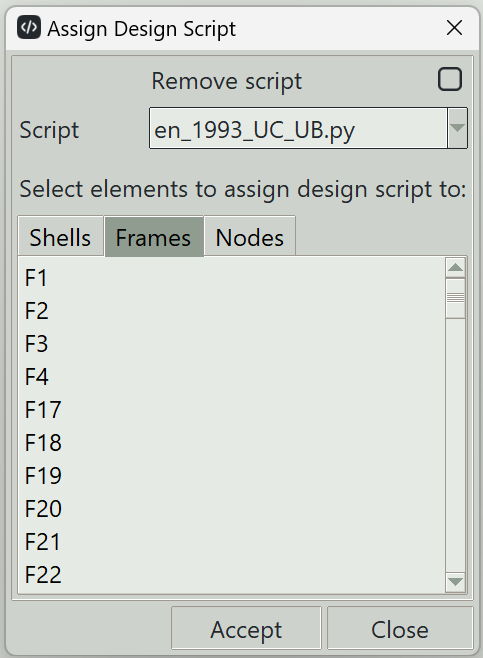
1. Remove script
Check this checkbutton if you want to remove design scripts from targeted elements.
2. Script
Selects the design script file to assign. Only the design scripts that are placed in the Scripts folder, which is inside the installation folder, are available here.
3. Elements list (shells, frames, nodes)
Displays a list of available elements in the model. Selecting items from this list allows the chosen design script to be assigned to those elements.
4. Accept button
Assigns the selected design script to the chosen elements.
5. Close button
Closes this dialog and ends the design script assignment command.