Split Shell
This window is used to split shells. A shell is split using a line, which can be defined by specifying two points in the window and clicking the Accept button, or by picking two points in the modeling space. Properties and assignments from the original shell are transferred to the resulting shells.
Splitting a shell with a line does not always result in exactly two shells. Depending on the geometry, multiple shells may be created.
The splitting line does not need to lie on the plane of the shell; however, it must have a valid projection onto the plane of the shell.
Note that the splitting line is treated as extending beyond the two specified points. In other words, the two points define the direction of the line, but the cut is applied across the entire shell wherever the projected line intersects it.
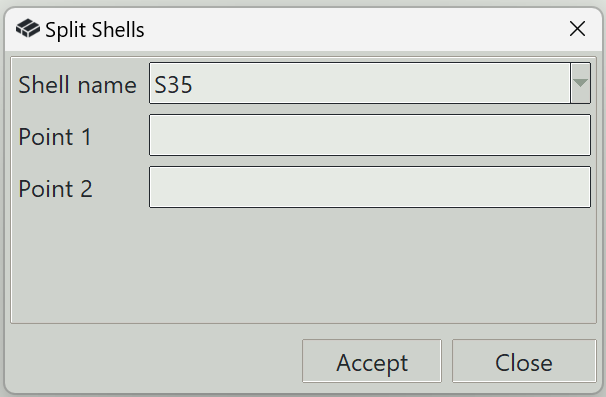
1. Shell name
Selects the shell to be split.
2. Point 1
The x, y, z coordinates of the first point defining the splitting line.
3. Point 2
The x, y, z coordinates of the second point defining the splitting line.
4. Accept button
Splits the selected shell using the specified line.
5. Close button
Closes the window and ends the shell splitting command.